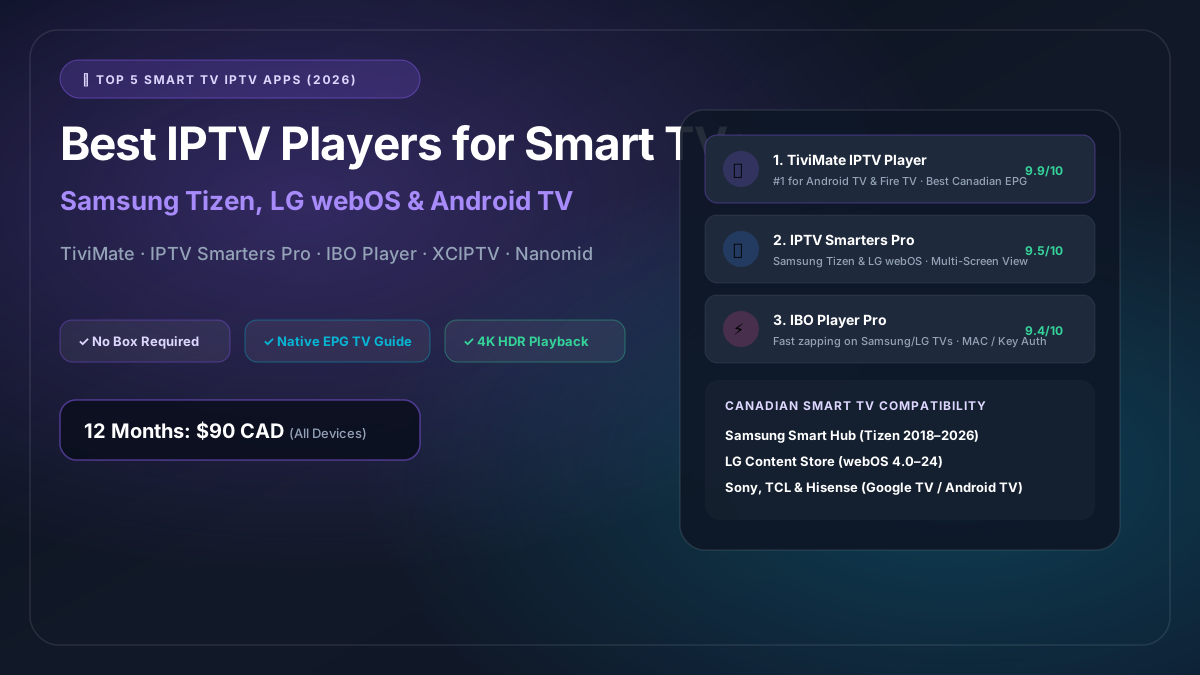
Top 5 Best IPTV Players for Canadian Smart TVs (Samsung, LG & Android TV)
In years past, enjoying IPTV required messy cables, external pirate boxes, and clunky remotes. In 2026, television hardware has evolved dramatically. Today’s Smart TVs from Samsung, LG, Sony, TCL, and Hisense boast high-speed processors, crystal-clear 4K HDR panels, and sleek operating systems capable of running professional IPTV player applications natively.
However, selecting the right media player app makes the difference between a sluggish, frustrating experience and a butter-smooth, cable-grade living room setup.
In this guide, our engineering team ranks and reviews the top 5 best IPTV players for Canadian Smart TVs, detailing compatibility, setup procedures, and Canadian Electronic Program Guide (EPG) optimization.
1. TiviMate IPTV Player (The Undisputed King of Android & Google TV)
- Supported Platforms: Google TV, Android TV (Sony, TCL, Hisense, Philips, Chromecast 4K), Amazon Fire TV
- Rating: 9.9 / 10
- Best For: Power users who demand a modern, cable-style TV guide and multi-screen sports viewing.
If your Smart TV runs Google TV or Android TV, TiviMate is simply the finest media player in existence. Developed specifically for television screens and remote controls (rather than adapted from a mobile phone app), TiviMate looks and feels more polished than Rogers Ignite or Bell Fibe TV boxes.
Key Highlights:
- Flawless Canadian EPG: Automatically categorizes channels into clear groups (Sports Canada, Canadian News, French Québec, Entertainment, USA Networks) with full program metadata.
- Multiview (Picture-in-Picture): Watch up to 4 live sporting events simultaneously on one screen—ideal for Saturday night hockey or keeping tabs on an IPL cricket match while watching the Toronto Blue Jays.
- Auto Frame Rate (AFR): Automatically matches your TV’s refresh rate to the stream (60Hz for Canadian sports, 24Hz for films).
- Timezone Offset Support: Adjust EPG hours easily across Eastern, Central, Mountain, and Pacific time zones.
Note: TiviMate is not available natively on Samsung Tizen or LG webOS. If you have a Samsung or LG TV and want TiviMate, pair your TV with a $40 Amazon Firestick 4K.
2. IPTV Smarters Pro (The Best Universal Cross-Platform App)
- Supported Platforms: Samsung Smart Hub (Tizen), LG Content Store (webOS), Android TV, Apple TV, iOS, Windows, Mac
- Rating: 9.5 / 10
- Best For: Families with multiple TV brands who want a consistent, user-friendly interface.
IPTV Smarters Pro is the most widely recognized IPTV application in the world. Its biggest advantage for Canadian households is universal compatibility: you can install it directly from the app store on a Samsung TV in the living room, an LG TV in the basement, and an iPad in the kitchen.
Key Highlights:
- Direct Official Appstore Download: No sideloading or USB flash drives required on Samsung and LG TVs.
- Xtream Codes API Integration: Simply input your server URL, username, and password; Smarters organizes live TV, movies, and TV series into clean sections.
- Parental Controls: Easily lock adult or international categories with a 4-digit PIN code.
- Multi-Screen Support: Built-in split-screen viewer supporting up to 4 channels.
3. IBO Player Pro (Fastest Zapping on Samsung & LG TVs)
- Supported Platforms: Samsung Tizen (2018+), LG webOS (4.0+), Android TV, Fire TV, Apple tvOS
- Rating: 9.4 / 10
- Best For: Samsung and LG owners who want rapid channel switching and minimalist navigation.
If you find IPTV Smarters a bit cluttered or slow to load on older Samsung or LG televisions, IBO Player Pro is your answer. It is one of the most lightweight, highly optimized players available on the Samsung Smart Hub and LG Content Store.
Key Highlights:
- Sub-Second Channel Switching: Channels buffer and open in under 0.8 seconds on 50Mbps+ residential fiber.
- Cloud-Based Web Management: Configure your playlists via a computer or smartphone browser using your TV’s MAC address and Device Key at
iboplayer.com/device. - 4K HDR & Dolby Audio Support: Supports advanced audio codecs, preventing the “no audio” errors common on older players when playing Dolby 5.1 feeds.
- 7-Day Free Trial: Free to test for 7 days, after which a modest one-time lifetime license fee (~$12 CAD) unlocks the app forever.
4. XCIPTV Player (Best Touch & Remote Hybrid Interface)
- Supported Platforms: Android TV, Google TV, Amazon Fire OS, Android Mobile
- Rating: 9.1 / 10
- Best For: Users who prefer a modern tile-based menu with prominent channel logos and quick shortcuts.
XCIPTV is a sleek alternative to TiviMate on Android TV and Google TV platforms. Built with ExoPlayer and VLC Player backends, it offers exceptional codec versatility.
Key Highlights:
- Dual Embedded Players: Seamlessly switch between ExoPlayer and VLC internal engines if an audio track or subtitle stream has compatibility quirks.
- Built-in Speed Test: Test your real-time connection speed directly to Canadian CDN nodes from inside the app.
- Recording Capability: Record live programming directly to external USB storage attached to your Smart TV.
5. Nanomid Player (High-Security Player for Samsung & LG)
- Supported Platforms: Samsung Smart TV, LG webOS, Android TV
- Rating: 8.8 / 10
- Best For: Smart TV owners looking for advanced buffer settings and network privacy.
Nanomid is another top-tier player available in the official LG Content Store and Samsung App Store. It is particularly popular in Quebec and Ontario due to its clean bilingual interface and responsive remote control mapping.
Key Highlights:
- Advanced Buffer Configuration: Fine-tune network cache from 1 second up to 10 seconds to eliminate micro-buffering on slower Wi-Fi networks.
- QR Code Pairing: Scan a QR code on your TV with your smartphone to instantly upload your M3U playlist or Xtream Codes login.
- Aspect Ratio Control: Easily cycle between 16:9, Zoom, and Original formats to fix older Canadian broadcast aspect ratios.
Feature Comparison: The Top 5 Apps Head-to-Head
| Feature | TiviMate | IPTV Smarters Pro | IBO Player | XCIPTV | Nanomid |
|---|---|---|---|---|---|
| Samsung Tizen Native | ❌ No | ✅ Yes | ✅ Yes | ❌ No | ✅ Yes |
| LG webOS Native | ❌ No | ✅ Yes | ✅ Yes | ❌ No | ✅ Yes |
| Android / Google TV | ✅ Yes | ✅ Yes | ✅ Yes | ✅ Yes | ✅ Yes |
| Cable-Style EPG | ⭐⭐⭐⭐⭐ (Best) | ⭐⭐⭐⭐ | ⭐⭐⭐⭐ | ⭐⭐⭐⭐ | ⭐⭐⭐ |
| Multiview (4 Screens) | ✅ Yes | ✅ Yes | ❌ No | ✅ Yes | ❌ No |
| Zapping Speed | < 0.6s | < 1.2s | < 0.8s | < 1.0s | < 1.0s |
| Canadian Timezone Shift | ✅ Yes | ✅ Yes | ✅ Yes | ✅ Yes | ✅ Yes |
| App Pricing | Free / $30 Lifetime | Free / $15 Pro | 7d Free / $12 Life | Free | 14d Free / $14 Life |
How to Set Up an IPTV App on Your Smart TV in 3 Steps
- Download the App: On your TV remote, press the Home button. Open the Samsung Smart Hub, LG Content Store, or Google Play Store, search for your chosen app (e.g., IBO Player or IPTV Smarters), and click Install.
- Retrieve Your Activation Credentials: Subscribe to IPTV Canada and receive your Xtream Codes login (Server URL, Username, and Password) instantly via WhatsApp or email.
- Log In and Sync: Enter the credentials into the app. In less than 30 seconds, your full Canadian channel lineup and 7-day TV guide will populate in 4K resolution.
Pair Your Smart TV with Canada’s #1 Streaming Service
The best IPTV app in the world is only as good as the stream server feeding it. Low-quality overseas providers will buffer and crash regardless of how powerful your Smart TV is.
IPTV Canada provides high-bitrate, Canadian-hosted feeds designed specifically for modern 4K Smart TVs:
- 12 Months Plan (Best Value): $90 CAD (Save $1,400+ CAD compared to cable)
- 6 Months Plan: $50 CAD
- 1 Month Plan: $13 CAD
Enjoy instant 5-minute activation via secure Interac e-Transfer. Choose your Canadian plan now or chat with our Canadian support team on WhatsApp for step-by-step installation guidance on your specific Smart TV model!